
It's 2 AM. I'm watching Claude Code spiral on a one-line refactor. It's trying to add a prop to a React component. The str_replace keeps failing because the JSX has line wrapping the agent didn't account for. Three retries. The fourth attempt rewrites the whole 200-line file, breaks two unrelated useEffect blocks, and helpfully reformats my imports.
I close the laptop.
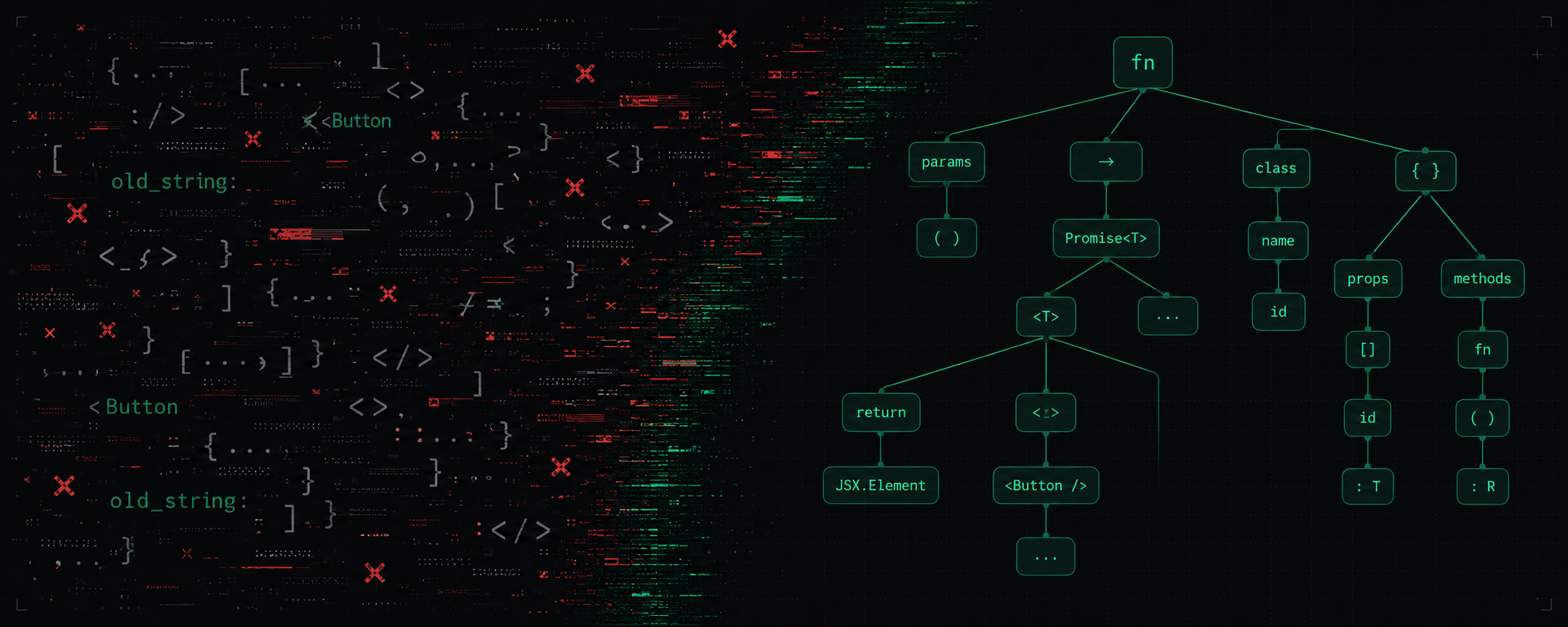
The next morning I open my master's thesis from 2022. I co-wrote it at Malmö University with Artur Matusiak: Typed vs Untyped Programming Languages. We built a tool that migrated JavaScript codebases to TypeScript by walking the syntax tree and mutating nodes directly. No regex. No retries on whitespace, because there was no whitespace to match.
That night I wrote down a question.
Why is every AI coding tool in 2026 still editing my code with
str_replace?
That question became SoulForge.
The dance you know
If you've used Claude Code, OpenCode, Cursor, or Aider, you know it.
The agent reads a 600-line component. Generates an edit. Fails because the JSX prop sits on a different line than the agent assumed. Re-reads. Tries again. Drops a closing brace. Third try succeeds, but it stripped a comment. You lost ten thousand tokens to add disabled={loading} to a button.
35% of AI edit attempts fail in string-matching tools. 2.3 attempts per successful edit. 45% failure rate on files over 500 lines. 70%+ failure rate when
formatOnSaveis on.
The cause is the same in every tool.
Four flavors of the same bug
Claude Code uses str_replace. It searches for an exact string and substitutes another. Two spaces drift, match fails.
OpenCode uses edit. Per their own docs:
Modify existing files using exact string replacements. This tool performs precise edits to files by replacing exact text matches. It's the primary way the LLM modifies code.
Same failure mode. They ship an experimental LSP tool behind a flag, but the default editing path is exact-string match.
Cursor relies on a separate apply model. A second model merges suggested changes into your file. The merge step has historically struggled with large files.
Aider asks the model for search/replace blocks. Same old_string/new_string failure mode, slightly different syntax. It can fall back to whole-file rewrites for small files.
Four tools, one root cause. They all treat code as text. Code isn't text. Code has structure.
LSP is the agent's nervous system, not a side feature
In SoulForge, LSP is the default lookup path. Definitions, references, workspace rename, call hierarchy, type info, code actions, diagnostics — all on, all the time, no flags.
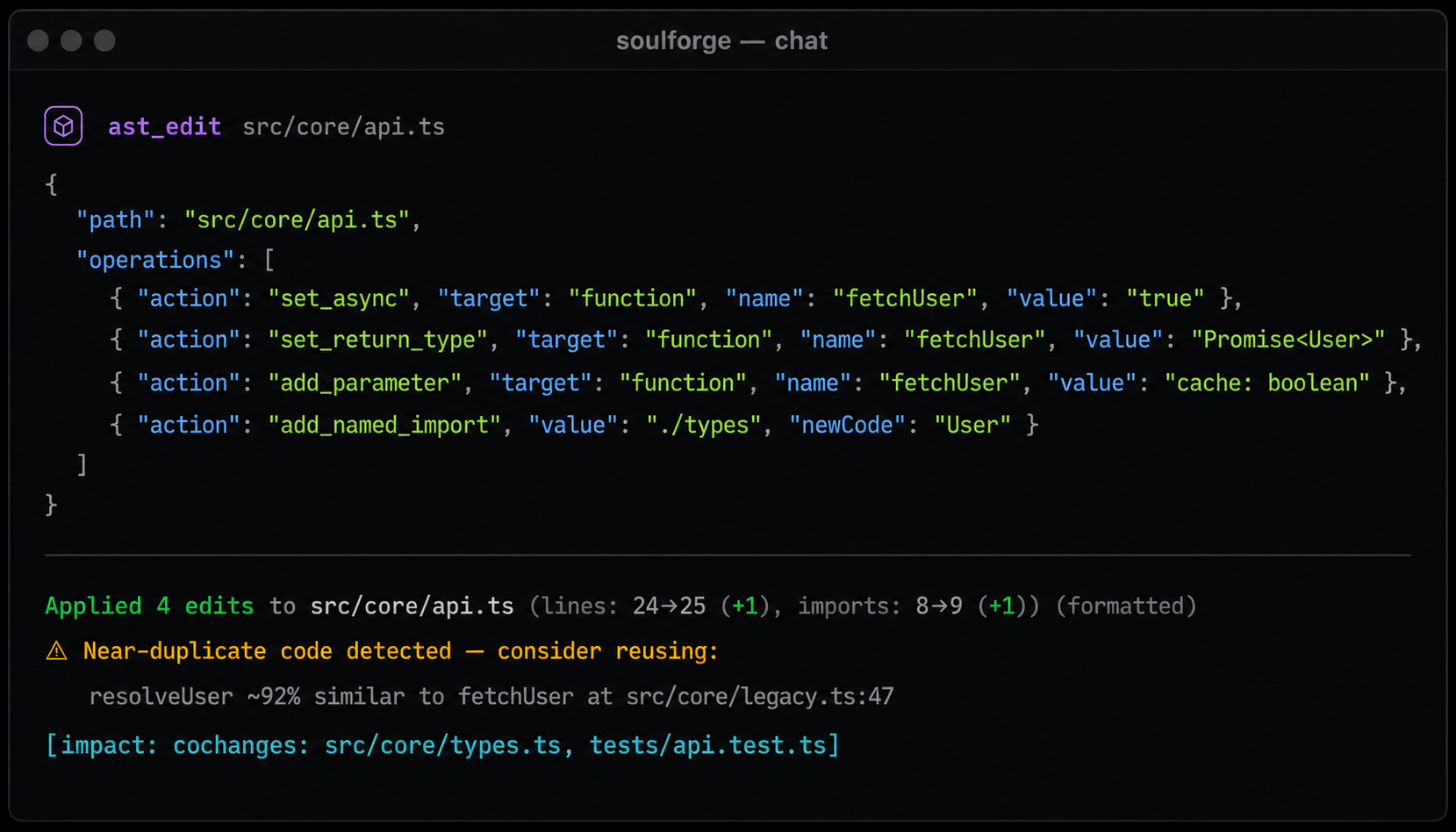
The verification loop is what changes the agent's behavior. After every edit, the tool snapshots diagnostics before and after, then tells the agent exactly which errors it just introduced or fixed:
Applied 4 edits to src/api.ts (lines: 24→25, imports: 8→9) (formatted)
⚠ New diagnostic: src/api.ts:18 — Type 'string' is not assignable to type 'User'
[impact: cochanges: src/core/types.ts, tests/api.test.ts]
The agent doesn't have to run a separate typecheck to find out it broke something. The error is in its hands the same turn it made the edit — so it can fix it on the spot, not three turns later when the user runs npm test.
The Soul Map: code as structure
SoulForge starts every session by understanding your codebase. On launch it parses your project with tree-sitter (30+ languages) and indexes it into a SQLite graph: files, exported symbols with signatures, import edges, blast-radius, git co-change.
Most agents now ship some flavor of "repo map." Most are flat file lists or alphabetized symbol dumps. Soul Map ranks by PageRank over the import graph — a file that 30 others depend on outranks one nobody imports — then re-weights using git co-change history, so files that always change together get pulled in even when imports don't connect them. The result: when the agent thinks about auth, the relevant types and the test file that always changes with them surface together, not because of keyword overlap but because they actually move as a unit.
The agent gets a ranked digest in its system prompt:
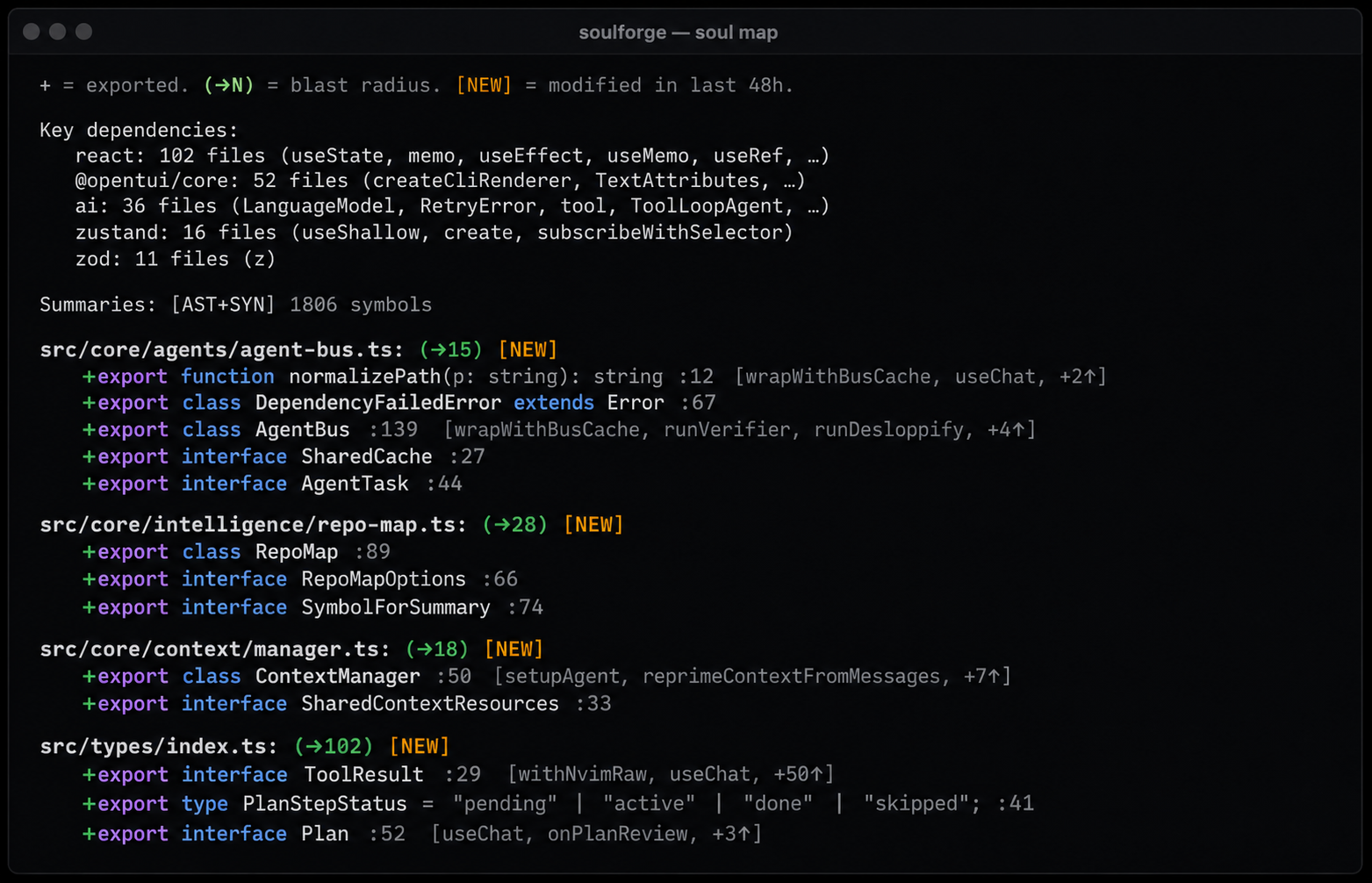
The full graph is one tool call away through soul_grep, soul_find, soul_analyze, and navigate. The agent never needs to grep for "where does auth live" — it already sees AuthMiddleware in src/auth/middleware.ts with a blast radius of 18, and asks for the function by name when it wants the body.
Real refactors that break string-matching agents
Forget toy benchmarks. Here are workday tasks where string matching falls over.
Make a function async, change its return type, add a parameter, import the type. A string-matching agent reads the file, generates an old_string/new_string pair for the function body, then a separate edit for the import, then maybe a third edit if the first one shifted line numbers. If anything drifts between read and write, the chain breaks.
SoulForge sends one tool call:
ast_edit({
  path: "src/api.ts",
  operations: [
    { action: "set_async",         target: "function", name: "fetchUser", value: "true" },
    { action: "set_return_type",   target: "function", name: "fetchUser", value: "Promise<User>" },
    { action: "add_parameter",     target: "function", name: "fetchUser", value: "cache: boolean" },
    { action: "add_named_import",  value: "./types", newCode: "User" },
  ],
})
Four operations, one tool call, all-or-nothing rollback. If any operation fails — say User doesn't exist in ./types — none apply. You don't end up with the function modified but the import missing, or vice versa. No other AI coding tool I know of supports atomic multi-edit with rollback. They all run edits sequentially and pray the chain holds.
Adding a prop to a React component used in 30 places. Each call site has different formatting — some single-line, some multi-line, some with trailing commas, some without. str_replace has to match each variation exactly. ts-morph's JSX manipulation adds the attribute regardless of how the call is formatted.
Tightening a function's return type from any to a real type. The signature change is one line, but the type errors cascade across imports. SoulForge's pre/post-edit diagnostics surface every new error immediately. String-based agents either run a typecheck as a separate step or finish the edit and leave the errors for you.
Renaming a method on a frequently-imported class. LSP workspace rename is one call. String-replace requires N edits, one per call site, each with its own potential drift. If three of them have the symbol in a comment or a string literal, LSP gets it right and string-replace doesn't.
Refactoring a 100-line JSX block. This is where ast_edit's anchor-pair replace_in_body shines:
ast_edit({
  path: "src/Settings.tsx",
  action: "replace_in_body",
  target: "function",
  name: "ProviderSettings",
  value: "<Card title=",       // start anchor
  valueEnd: "</Card>",          // end anchor
  newCode: "<NewLayout>...</NewLayout>",
})
Two short anchors. The tool replaces everything between them inside the named symbol. A hundred-line block rewritten with twenty tokens of anchor text. The AST scopes the search to the function, so the anchors don't have to be unique across the file — only inside the symbol. str_replace either fails on the first whitespace mismatch or the agent gives up and rewrites the whole component.
These aren't demos. They're what happens during regular work, every day.
ts-morph and the thesis
ast_edit is built on ts-morph, a wrapper around the official TypeScript compiler API. Same compiler your IDE uses for go to definition and rename symbol. When the agent says target: method, name: UserStore.load, ts-morph walks the class, finds the node, hands back a mutable object. Mutating the node and serializing back produces formatted, valid TypeScript.
This part comes from the thesis. Artur and I built JS Typer for Axis Communications in 2022 — a tool that walked their JavaScript codebase, inferred types from runtime behavior, and rewrote files as valid TypeScript. The output compiled. The output preserved comments. The output didn't trash whitespace. The thesis defended a single claim: the JS→TS migration problem is unsolvable through sed-style transformations and trivial through AST mutation. Four years later, the same claim defends ast_edit.
Sixty-five operations grouped by token cost: cheap ones (toggle async, change a parameter, set a return type) take one to ten tokens of input; mid-weight ones (replace a body, add a method, change inheritance) take ten to a hundred. Atomic batches group multiple operations into one tool call with rollback.
The AST handles the precision. You handle the intent.
What it cannot do
ast_edit works on .ts, .tsx, .js, .jsx, .mts, .cts, .mjs, .cjs. For the other 30+ languages SoulForge supports, the agent falls back to text editing. Tree-sitter parsers exist for those, but a real structural-edit story for Python or Rust needs more than a tree-sitter parse — it needs the equivalent of ts-morph for that language. I'll get there.
It can't target anonymous callbacks or union members inside a type alias. It falls back to replace_in_body on the enclosing named symbol.
It fails on files with parse errors. If your TypeScript doesn't compile, ts-morph won't parse it. The tool reports the error and falls back to text editing. You can't structurally edit code that isn't structured.
These are real limitations. They're also what you'd expect from a tool that respects your code enough to refuse to corrupt it.
A start, not a finish line
ast_edit is a step in the right direction. The destination is AI coding tools that produce less slop. Less generated code that compiles but doesn't belong. Less duplicated logic. Less "the agent rewrote my whole component because it couldn't find the right line."
When the editing primitive operates on structure, the model has fewer ways to wander. It can't quietly reformat a function. It can't leave behind a half-applied refactor because batches are atomic.
Cleaner primitives, cleaner output. You reduce slop by giving the model fewer ways to generate it.
Caching is good hygiene. It is not the bottleneck. The bottleneck is the agent reading whole files to find single lines and re-reading them on retries.
Try it
brew tap proxysoul/tap && brew install soulforge
soulforge
The agent picks ast_edit automatically for TS/JS files. You don't configure it. You just notice your edits stop failing on whitespace.
Sources
- SoulForge · AST editing docs · Soul Map docs
- OpenCode tools reference · Morph: AI edit failure analysis
- ts-morph · Thesis: Typed vs Untyped Programming Languages, Bni & Matusiak, Malmö University, 2022 · JS Typer reference implementation
- ProxySoul